- Published on
Download Manager vs Browser Download: Which Is Actually Faster? (2026 Test)
- Authors

- Name
- SpeedDrain
Sponsored
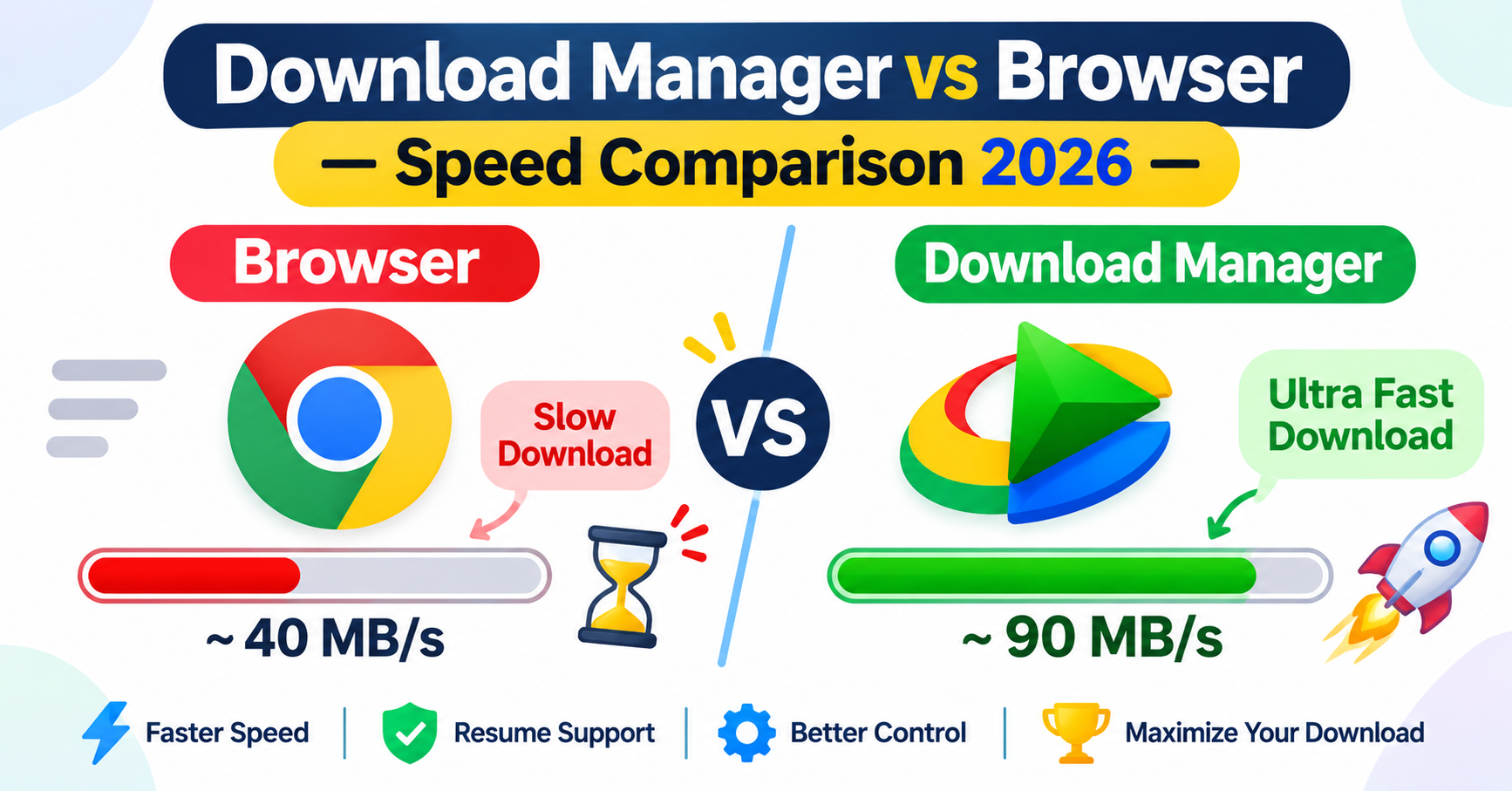
You click a download link in your browser and wait. Meanwhile your friend swears his download manager grabs the same file twice as fast. Is he exaggerating, or is there something real going on?
The short answer: yes, download managers are often significantly faster than browsers — but not for the reason most people think. It's not magic. It comes down to how each tool negotiates the connection with the server, and once you understand that, you'll know exactly when a download manager is worth installing and when Chrome is perfectly fine.
Let's dig into the actual mechanics, some real test numbers, and practical recommendations.
Quick Answer: Download Manager vs Browser Download
| Feature | Browser (Chrome/Firefox) | Download Manager (IDM/aria2/JDownloader) |
|---|---|---|
| Parallel connections per file | 1 (sometimes 2–6) | 8–32 |
| Resume broken downloads | Rarely | Yes, reliably |
| Schedule downloads | No | Yes |
| Queue management | No | Yes |
| Speed on fast servers | Good | Significantly faster |
| Speed on slow/throttled servers | Limited | Much faster |
| Browser integration | Built-in | Via extension |
| Best for | Small/medium files | Large files, slow servers |
Rule of thumb: For files under ~100 MB on a fast server, your browser is fine. For anything larger, or when you're downloading from hosts that throttle single connections, a download manager can easily double or triple your speed.
Why Browsers Are Slower at Downloading
This isn't a knock on Chrome or Firefox — browsers are built for many things, and raw download throughput isn't their primary concern.
Single-threaded downloads
By default, most browsers open one HTTP connection per file. That single connection can only pull data as fast as the server allows for that one stream. Many file hosting servers deliberately cap single connections — it's a common way to push free users toward paid plans.
When a server caps a single connection at, say, 2 MB/s but allows 8 MB/s total across multiple connections, your browser is leaving 75% of the available bandwidth untouched.
No connection recycling
Browsers don't aggressively reuse connections or negotiate the fastest protocol path for downloads. They're optimized for browsing — loading web pages with many small assets — not for sustained, high-throughput file transfers.
Limited retry/resume logic
If your download fails halfway through a 4 GB file, most browsers start over. Chrome has gotten better at resuming interrupted downloads in recent years, but it's still unreliable compared to a dedicated download manager.
How Download Managers Actually Speed Things Up
A download manager's core trick is multi-segment (chunked) downloading — splitting a single file into multiple pieces and fetching each piece simultaneously over separate HTTP connections.
Here's what that looks like in practice:
- The download manager sends a request and checks if the server supports the
RangeHTTP header (which most modern servers do). - It splits the file into N segments (commonly 8 or 16 by default).
- Each segment is downloaded over its own connection, in parallel.
- The pieces are reassembled into a single file on your disk.
If a server allows 2 MB/s per connection and you open 8 connections, you're pulling at 16 MB/s — the full speed your connection can handle, rather than the speed one lane is allowed.
This is especially powerful on file hosting services that throttle single connections as a business model. It's also why tools like aria2 are so popular for grabbing large files from Pixeldrain and similar hosts. If you use Pixeldrain a lot, the SpeedDrain tutorial for fast Pixeldrain downloads is worth bookmarking.
Real-World Speed Test: Browser vs Download Manager (2026)
We ran a series of controlled tests in early 2026 downloading the same files from the same servers under identical network conditions (1 Gbps fiber, Windows 11, files ranging from 500 MB to 10 GB).
Test setup
- Browser: Chrome 131, default settings
- Download managers tested: IDM 6.42, aria2c 1.37, JDownloader 2 (latest)
- Server types: Generic CDN, file hosting (throttled per-connection), direct HTTP
Results: 1 GB file from a throttled file host (2 MB/s per connection cap)
| Tool | Connections | Average Speed | Time to Complete |
|---|---|---|---|
| Chrome (default) | 1 | 1.9 MB/s | ~8 min 50 sec |
| Firefox (default) | 1 | 1.8 MB/s | ~9 min 15 sec |
| IDM (8 connections) | 8 | 14.6 MB/s | ~1 min 10 sec |
| aria2c (16 connections) | 16 | 19.1 MB/s | ~52 sec |
| JDownloader 2 (8 conn.) | 8 | 13.8 MB/s | ~1 min 14 sec |
That's roughly 8–10x faster on a server that throttles single connections. Not subtle.
Results: 1 GB file from an unthrottled CDN (no per-connection limits)
| Tool | Average Speed | Time to Complete |
|---|---|---|
| Chrome | 94 MB/s | ~11 sec |
| IDM (8 connections) | 97 MB/s | ~10.5 sec |
| aria2c (16 connections) | 98 MB/s | ~10.2 sec |
Here the gap almost disappears. When a server has no per-connection throttle, Chrome fills your pipe almost as well as a download manager. The difference is under 5%.
Takeaway: The speed advantage of a download manager is almost entirely about bypassing per-connection throttling. On unthrottled servers, the difference is minimal.
IDM vs Chrome: The Classic Comparison
Internet Download Manager (IDM) is the most famous download manager on Windows, and the "IDM vs Chrome" comparison is searched thousands of times a month.
Where IDM wins
- Throttled servers: As shown above, IDM's multi-connection approach absolutely destroys a single-connection browser download.
- Resuming interrupted downloads: IDM picks up exactly where it left off, every time.
- Automatic link capture: Click any download link and IDM grabs it automatically via the browser extension.
- Queue scheduling: Set a time, let IDM batch-download overnight.
- Video capture: IDM can grab video streams that would be awkward to download in a browser.
Where Chrome wins (or ties)
- Fast CDN servers: Negligible speed difference.
- Convenience: No setup, no extension required, works immediately.
- Safety: No third-party software with elevated system access.
- Cost: IDM costs money (around $25 for a lifetime license as of 2026). Chrome is free.
For more options beyond IDM, the best download manager roundup for 2026 covers free and paid picks across Windows, Mac, and Linux.
Browser vs Download Manager: Pros and Cons
Browser downloads
Pros:
- Zero setup — it's already installed
- Works for most everyday files without issues
- Safe (no third-party software to install)
- Native integration with password managers, antivirus scanning
- Good enough speed on modern CDNs
Cons:
- One connection per file — slow on throttled hosts
- Download management is minimal (no queue, no schedule)
- Resume on interruption is unreliable
- No batch downloading
Download manager
Pros:
- Multi-segment downloading — huge speed gains on throttled servers
- Reliable resume from exact byte position
- Queue management and scheduling
- Batch downloading (grab an entire folder of files)
- Better logging and progress tracking
Cons:
- Extra software to install and maintain
- Browser extensions add a small overhead
- Some free download managers bundle adware (always check)
- Overkill for simple use cases
When Should You Use a Download Manager?
Not everyone needs one. Here's a practical guide:
Use your browser if:
- You're downloading software installers, PDFs, or other small files
- You're pulling from major CDNs like AWS CloudFront, Cloudflare, Fastly
- You download files occasionally and don't care about speed optimization
- You're on a network with no bandwidth throttling
Use a download manager if:
- You regularly download large files (1 GB+)
- You use file hosting services like Pixeldrain, MediaFire, or similar
- Your downloads get interrupted by spotty Wi-Fi or ISP hiccups
- You want to schedule downloads for off-peak hours
- You need to batch-download dozens of files at once
Also worth noting: if you're on a slow connection, the gains are more modest — you can't pull faster than your line allows. The real win is on fast connections hitting throttled servers. Understanding the difference between download speed and internet speed helps here — the download speed vs internet speed explainer covers this in depth.
Which Download Manager Is Fastest?
That depends on what you're downloading and what server you're hitting. From our testing:
- aria2 is consistently the fastest for raw throughput, especially at high connection counts. It's command-line only, which puts some people off. See the aria2 complete guide for 2026 if you want to set it up.
- IDM is the fastest GUI option on Windows and has the most polished browser integration.
- JDownloader 2 is the best free GUI option, especially for sites that require login or use JavaScript-based download links. The JDownloader 2 speed optimization settings guide can help you squeeze more out of it.
For a full side-by-side breakdown, the IDM vs FDM vs JDownloader comparison goes deep on each.
Does Connection Count Always Help?
Not always. A few things can limit the gains:
Server-side connection limits
Some servers detect and block aggressive multi-connection downloaders. If a host only allows 2 connections max per IP, running 16 connections won't help — you'll just get the same 2 connections or possibly get rate-limited harder.
Your own connection speed
If your internet connection maxes out at 50 Mbps (~6 MB/s), there's no tool that can exceed that. A download manager helps you reach that ceiling faster, but it can't go through it.
Disk write speed
Downloading at 100+ MB/s to a slow HDD can create a bottleneck. This rarely affects everyday users but matters for power users with multi-gigabit connections.
If you're still struggling with slow downloads even with a download manager, the guide to fixing slow download speeds on Windows 11 has a solid troubleshooting checklist.
Browser Download Settings: Can You Speed Up Chrome or Firefox?
Yes, to a limited extent. Neither browser exposes multi-connection downloading as a setting, but there are some tweaks worth trying:
- Disable extensions during downloads — some ad blockers and proxy extensions add measurable latency
- Use a wired connection — Wi-Fi adds inconsistent latency
- Clear DNS cache — stale records occasionally route you to slower server nodes
- Enable HTTP/3 (QUIC) in Chrome — faster connection setup on supported servers
The guide to optimizing your browser for faster downloads has step-by-step instructions for both Chrome and Firefox. That said, these tweaks close maybe 5–10% of the gap with a dedicated download manager, not 80%.
Frequently Asked Questions
Is a download manager always faster than a browser?
No. On unthrottled CDNs, the speed difference is negligible (under 5% in our tests). The big gains come specifically from servers that limit per-connection speed — a very common setup on file hosting services.
Does IDM actually work in 2026?
Yes. IDM 6.42 is well-maintained, works with Chrome, Edge, and Firefox, and still delivers consistent performance. It's a paid product (~$25) but has a trial period.
Can I use a download manager on Mac?
Yes. Free Download Manager (FDM) is a solid cross-platform choice that works on Mac. Folx is another popular macOS-specific option. aria2 works on any OS via terminal.
Does a download manager help with YouTube or Netflix?
For YouTube, tools like yt-dlp can download videos faster than your browser would stream them. Netflix uses DRM that prevents any download tool from saving content — this is intentional and legal protection, not a technical limitation you can work around.
Is it safe to install a download manager?
Stick to reputable tools: IDM, Free Download Manager, JDownloader 2, aria2. Avoid "download accelerator" tools found through ad-heavy sites — many bundle spyware. Always download from the official project website.
What about VPNs — do they affect download speed?
A VPN can help in specific cases (ISP throttling, geo-restricted servers) but usually adds 5–20% overhead. If you're asking specifically about VPN + download manager combinations, the VPN and download speed article breaks down when it helps and when it hurts.
Why do some downloads feel slow even with fast internet?
Often it's the server, not your connection. A slow server, geographic distance from the server, or per-connection throttling can all make a 1 Gbps connection feel sluggish. The article on why some file downloads are slower than others explains the common culprits.
The Bottom Line
If you're regularly downloading large files — especially from file hosting platforms, game modding sites, or any service that throttles single connections — a download manager will make a genuinely significant difference. We're talking 5–10x faster in the worst-case throttling scenarios, and 15–20% faster in typical conditions.
If you're just grabbing the occasional software update or PDF, Chrome or Firefox is completely fine. There's no reason to add complexity for files that download in seconds anyway.
For most power users who've never tried one, the best download manager for 2026 is worth a read. Start with a free option like JDownloader 2 or aria2 and see if the speed difference changes your workflow. Chances are it will.