- Published on
IDM vs FDM vs JDownloader: Which Download Manager Wins in 2026?
- Authors

- Name
- SpeedDrain
Sponsored
Watching a browser download crawl at 800 KB/s on a 1 Gbps line is agonizing. Browsers render complex web apps; they are notoriously bad at saturating bandwidth or recovering from broken network sockets.
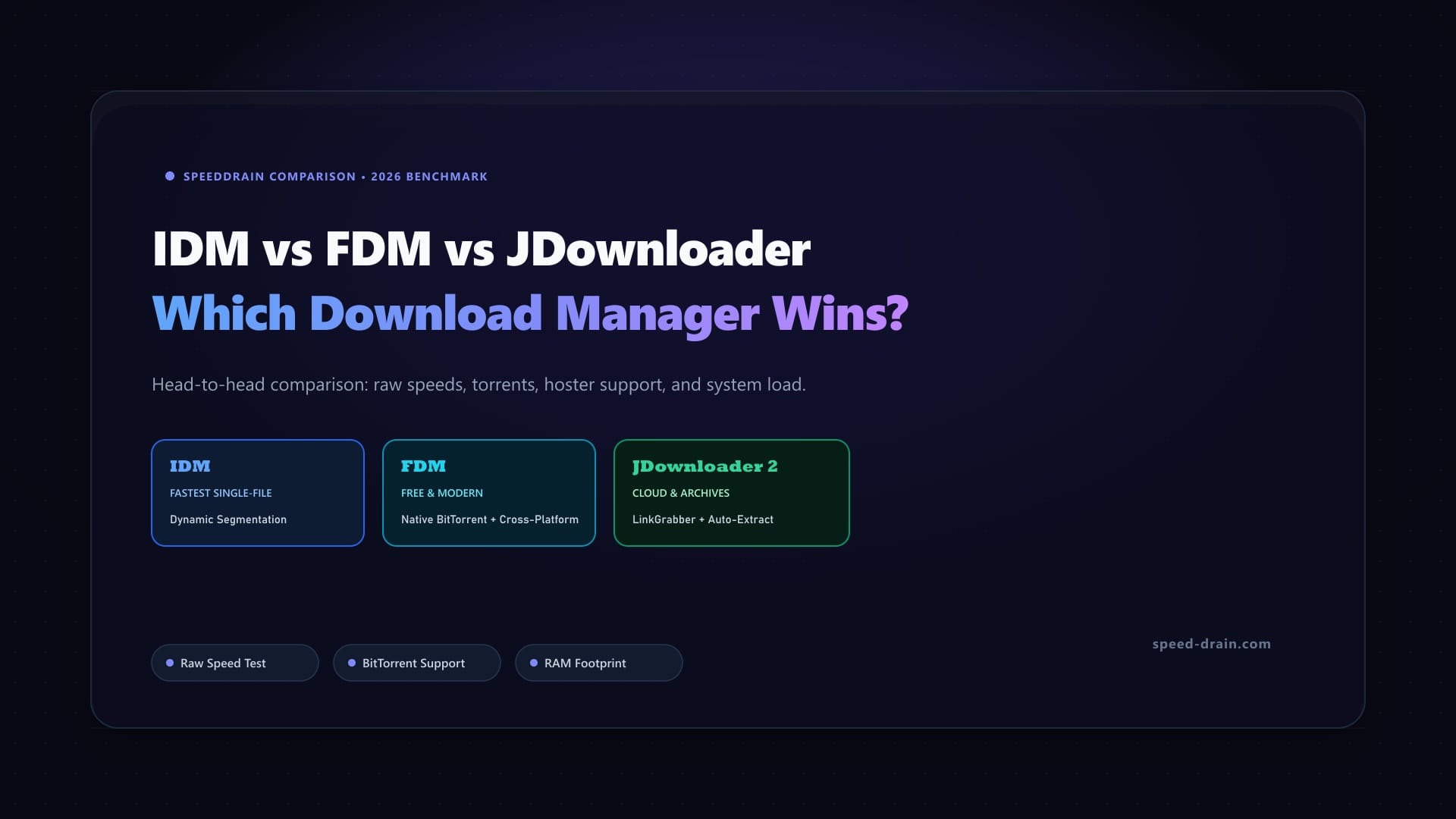
When moving past browser defaults, three tools dominate the landscape:
- Internet Download Manager (IDM): The commercial Windows veteran with a classic interface and a blisteringly fast dynamic segmentation engine.
- Free Download Manager (FDM): The modern, cross-platform alternative that handles native BitTorrent, runs on macOS, Linux, and Android, and costs nothing.
- JDownloader 2: The open-source Java workhorse built for power users who need to harvest hundreds of encrypted filelockers and auto-extract split archives overnight.
Each tool approaches transfers with a distinct philosophy. We benchmarked all three head-to-head across multi-threading throughput, browser media sniffing, filelocker handling, memory footprint, and daily usability. Here is how they stack up in 2026.
Quick Verdict: Which Download Manager Wins?
| Metric | Winner | Core Advantage |
|---|---|---|
| Direct HTTP/HTTPS Speed | IDM | Dynamic segmentation splits active segments on the fly without reconnect latency. |
| Best All-Around Daily Driver | FDM | Modern UI, native BitTorrent, cross-platform (Mac, Windows, Linux, Android), and 100% free. |
| Bulk Filelocker Harvesting | JDownloader 2 | Built-in link grabber, automated captcha solvers, account vaults, and auto-unrarring. |
| Lowest Resource Footprint | IDM | Native Win32 binary drawing just 25–40 MB RAM under 32-thread saturation. |
| Cross-Platform Parity | FDM | Native Apple Silicon macOS, Linux (DEB/RPM/Flatpak), Windows, and Android builds. |
The Quick Take:
- Pick IDM for Windows direct HTTP line saturation and near-zero RAM usage.
- Pick FDM for an all-in-one free manager with native BitTorrent across Mac, Windows, or Linux.
- Pick JDownloader 2 for automated batch scraping from filelockers (Pixeldrain, Mega, Rapidgator) with auto-extraction.
Contender Deep Dives
1. Internet Download Manager (IDM) — The Unkillable Speed Demon
Created by Tonec Inc., Internet Download Manager pairs a retro interface with aggressive socket management. Instead of fixed blocks upfront, IDM uses dynamic file segmentation—monitoring throughput in real time and splitting active chunks whenever a socket finishes early. Up to 32 connections stay saturated until the final byte arrives.
Its companion extension (IDM CC) hooks directly into Windows network drivers, automatically capturing master .m3u8 playlists and MPEG-DASH streams from active web players. Built exclusively around Win32 APIs and Winsock sockets, IDM runs strictly on Windows.
- Pricing: 30-day trial; $11.95/year or $24.95 lifetime license.
- Pros: Fastest dynamic multi-threading; industry-leading video grabber; minimal 25–45 MB RAM footprint; session URL refresh.
- Cons: Paid license ($24.95); Windows-only; dated UI; no BitTorrent.
2. Free Download Manager (FDM) — The Modern Cross-Platform Swiss Army Knife
Free Download Manager is a modern C++/Qt transfer utility featuring native BitTorrent support. FDM manages web downloads and magnet links in a unified queue, offering sequential downloading for streaming media and granular bandwidth throttling.
FDM delivers full cross-platform parity across Windows, macOS (Apple Silicon native), Linux, and Android. It includes an integrated media preview player to verify file integrity within the first 2% of a download, plus four selectable traffic modes.
- Pricing: Completely free with clean, signed installers and zero adware.
- Pros: 100% free; native BitTorrent; cross-platform (Mac, Windows, Linux, Android); dark mode; sparse-file disk allocation.
- Cons: Video sniffer struggles with separated audio/video streams; no automated captcha solving; static chunking.
3. JDownloader 2 — The Heavy-Duty Filelocker Harvester
Engineered by Appwork GmbH, JDownloader 2 automates downloading from filelockers and cloud drives. Its clipboard-monitoring LinkGrabber detects URLs, playlists, and encrypted DLC containers, checking server availability beforehand.
Backed by more than 3,300 host plugins, JDownloader solves captchas, bypasses wait timers, and stores credentials for services like Mega, Rapidgator, and Pixeldrain. It also extracts multi-part .rar archives automatically upon completion. The trade-off is its Java runtime (JVM), which consumes 400 MB to 800 MB+ of system memory.
- Pricing: 100% free and open-source (use the clean forum installer).
- Pros: Unmatched link harvesting; automated captcha handlers; automatic archive extraction; hoster vault; remote web control.
- Cons: High RAM consumption; cluttered Java UI; official installer contains bundled offers; no BitTorrent.
Head-to-Head Showdown: 5 Key Pillars
Pillar 1: Raw Download Speed & Multi-Threading Efficiency
Download speed is often misunderstood: your internet tier is a theoretical ceiling, as detailed in download speed vs internet speed explained. Server-side rate caps throttle single-stream browser transfers to single digits. Multi-threading bypasses this by opening concurrent TCP sockets that pull distinct chunks simultaneously.
Benchmark: 10 GB Payload on a 1 Gbps Fiber Connection
We fetched a 10 GB Ubuntu ISO from an unthrottled CDN server across 16 parallel threads:
| Download Manager | Connection Streams | Peak Throughput | Time to Complete | Disk Reassembly Stall |
|---|---|---|---|---|
| Browser (Chrome) | 1 (Single stream) | 18.4 MB/s | 9m 12s | None |
| Internet Download Manager (IDM) | 16 (Dynamic) | 112.8 MB/s | 1m 32s | ~2.1 seconds |
| Free Download Manager (FDM) | 16 (Static) | 104.2 MB/s | 1m 39s | ~1.8 seconds |
| JDownloader 2 | 16 (Static chunks) | 98.6 MB/s | 1m 46s | ~4.5 seconds |
On completion, IDM merges temporary cache files in ~2 seconds on NVMe. FDM writes chunks directly to pre-allocated disk sectors with zero delay. JDownloader 2 relies on Java NIO buffers, creating brief disk overhead during extractions.
Winner: IDM. Dynamic chunk reallocation extracts peak throughput from unthrottled servers.
Pillar 2: Browser Integration & Media Sniffing
A capable download manager should intercept files seamlessly without manual copying:
- IDM: The gold standard for media grabbing. Its floating overlay sniffs master
.m3u8playlists and MPEG-DASH streams from web players, automatically muxing separate audio and video feeds into a unified.mp4on the fly. - FDM: Clean extensions for Chrome, Firefox, Edge, and Safari intercept downloads smoothly, though its media sniffer frequently struggles with fragmented video/audio manifests.
- JDownloader 2: Uses clipboard monitoring and the MyJDownloader extension. Copying a page URL prompts LinkGrabber to unpack all video streams, audio tracks, and subtitles into downloadable packages.
Winner: IDM. Flawless one-click media detection across virtually any web video player.
Pillar 3: Cloud & File Hosting Support (Pixeldrain, Mega, Rapidgator)
Most filelockers protect downloads with expiring session tokens, timers, and captchas. Pasting links from Rapidgator or 1Fichier into IDM or FDM without a premium account yields an HTML error page, as neither tool navigates timers or captchas natively.
JDownloader 2 shines here: over 3,300 host plugins automate wait times, parse Mega decryption keys, solve captchas, and unpack protected DLC containers.
IDM features an effective Refresh Download Address tool. If a download stalls because its cloud token expired, IDM pauses with an HTTP 403 error. Right-clicking and selecting "Refresh Download Address" reopens your browser to regenerate a valid session cookie, resuming the transfer without losing progress. For a step-by-step walkthrough, read our guide on how to resume an interrupted download.
Winner: JDownloader 2. Unmatched capabilities for filelockers, cloud hosting packages, and forum link dumps.
Pillar 4: Resource Usage (RAM & CPU Footprint)
Resource footprint matters when downloading alongside heavy workloads like gaming or compilation:
| Application | Runtime Engine | Idle RAM Footprint | Active RAM (8 Downloads) | Idle CPU | Active CPU (1 Gbps Saturation) |
|---|---|---|---|---|---|
| IDM | Pure C/C++ (Win32) | 14 MB | 38 MB | 0.0% | 3.8% |
| FDM | C++ / Qt Framework | 65 MB | 145 MB | 0.1% | 5.2% |
| JDownloader 2 | Java VM (OpenJDK) | 280 MB | 620 MB+ | 0.8% | 11.4% |
IDM is written in native C/C++, linking directly to Windows system libraries and drawing under 40 MB RAM under load. FDM requires a modest 65 MB idle and 140–160 MB actively. JDownloader 2 runs on the JVM, requiring substantial heap allocations that regularly exceed 800 MB on large queues.
Winner: IDM. Maximum download performance while using fewer system resources than a single browser tab.
Pillar 5: Pricing, Licensing & Platform Availability
| Feature | Internet Download Manager (IDM) | Free Download Manager (FDM) | JDownloader 2 |
|---|---|---|---|
| Windows Support | Yes (Native Win32) | Yes (Modern Qt) | Yes (Java) |
| macOS Support | ❌ No | Yes (Apple Silicon & Intel) | Yes (Java) |
| Linux Support | ❌ No | Yes (DEB, RPM, Flatpak) | Yes (Java) |
| Android Support | ❌ No | Yes (Official APK / Play Store) | ❌ No |
| Base Price | $24.95 Lifetime / $11.95 Year | 100% Free | 100% Free |
| Licensing | Commercial Trialware (30 days) | Proprietary Freeware | Open Source (GPLv3) |
| Installer Safety | 100% Clean | 100% Clean | ⚠️ Bundled installer (Clean build available) |
IDM requires a paid license after its 30-day trial ($11.95/yr or $24.95 lifetime). FDM is 100% free across Windows, macOS, Linux, and Android with clean installers. JDownloader 2 is free and open-source, though users should grab the clean forum installer to bypass promotional bundles.
Winner: FDM. Full cross-platform support with zero licensing fees or bundled offers.
Comprehensive 16-Point Comparison Matrix
| Feature | Internet Download Manager (IDM) | Free Download Manager (FDM) | JDownloader 2 |
|---|---|---|---|
| Price / License | $24.95 (Proprietary) | 100% Free (Freeware) | 100% Free (Open Source) |
| Supported Platforms | Windows only | Windows, macOS, Linux, Android | Windows, macOS, Linux (Java) |
| Maximum Streams per File | 32 connections | Up to 100 connections | Up to 20 connections |
| Segmentation Method | Dynamic Real-Time | Static Segmented | Static Segmented |
| Native BitTorrent Support | ❌ No | ✅ Yes (Full BitTorrent & Magnet) | ❌ No |
| Browser Video Sniffer | ⭐⭐⭐⭐⭐ Industry Best | ⭐⭐⭐ Good | ⭐⭐⭐ Manual/LinkGrabber |
| HLS / m3u8 Stream Grab | ✅ Flawless automatic merge | ⚠️ Limited / Hit-or-miss | ✅ Supported via plugins |
| Filelocker Host Plugins | ❌ No (Direct links only) | ❌ No (Direct links only) | ⭐⭐⭐⭐⭐ 3,300+ Plugins |
| Captcha Solver Integrations | ❌ No | ❌ No | ✅ Built-in & 3rd-party APIs |
| Auto-Unrar / Split Archives | ❌ No | ❌ No | ✅ Built-in with passwords |
| Multi-Hoster / Debrid Vault | ❌ No | ❌ No | ✅ Native Account Manager |
| RAM Footprint (Active) | ~25–45 MB | ~120–160 MB | ~400–800 MB+ |
| Media Preview Before Finish | ❌ No | ✅ Yes (Built-in player) | ❌ No |
| Bandwidth Pacing Profiles | ✅ Speed Limiter | ✅ 4-Stage Traffic Modes | ✅ Granular Speed Limiter |
| Remote Web Interface | ❌ No | ❌ No | ✅ MyJDownloader Web & App |
| Installation Cleanliness | 100% Clean Trialware | 100% Clean Freeware | ⚠️ Beware bundled installers |
Who Should Pick What? Persona-Based Guides
1. Pick Internet Download Manager (IDM) If:
- You exclusively run Windows and prioritize raw direct download throughput.
- You download massive standalone files (ISOs, game updates, installation packages).
- You want the most reliable floating browser overlay to grab video and audio streams from web players.
- You want maximum performance with virtually zero background RAM usage.
2. Pick Free Download Manager (FDM) If:
- You want a unified application handling both direct web downloads and torrent/magnet files.
- You work across macOS, Linux, and Windows and want a consistent experience across all machines.
- You prefer clean, modern interfaces with native dark mode support.
- You want a completely free tool with no licensing limits or adware.
3. Pick JDownloader 2 If:
- You regularly download batches from file-sharing platforms (Pixeldrain, Mega, Rapidgator, MediaFire).
- You scrape media channels, image galleries, or forum link dumps.
- You want automated timer bypasses, captcha integrations, and auto-extraction of multi-part
.rarfiles. - You manage premium hoster accounts or debrid services.
Looking for Other Alternatives?
If none of these three fit your specific needs, explore our broader review of the best download manager in 2026:
- For a lightweight, scriptable command-line utility with JSON-RPC support for servers, read our Aria2 download manager complete guide.
- If you have multiple internet connections (such as home broadband plus mobile 5G) and want to combine them to accelerate a single download, see our Plexo download manager guide.
How SpeedDrain Supercharges All Three Contenders
Even the most capable download manager cannot bypass server-side bandwidth throttling. When downloading from Pixeldrain, free-tier users frequently encounter speed limits, peak-hour bottlenecks, and session timeouts that prevent resuming broken transfers.
SpeedDrain (speed-drain.com) removes these bottlenecks by serving as a high-speed direct CDN proxy bridge:
- Copy any Pixeldrain link (
pixeldrain.com/u/ID). - Paste it into speed-drain.com.
- SpeedDrain provides an unthrottled direct CDN stream supporting full multi-threading and instant resume.
Using SpeedDrain Links in Each Manager:
- In IDM: Click Add URL, paste your SpeedDrain link, and select your target directory. IDM spins up 16 to 32 dynamic threads, saturating your connection at peak line speed.
- In FDM: Click the + button, allow FDM to capture the clipboard link, configure your thread count, and hit Download.
- In JDownloader 2: Copy your SpeedDrain links; the LinkGrabber tab will verify them instantly. Right-click and select Start All Downloads to pull files at uncapped speeds and auto-extract upon completion.
For automated batch link conversion and browser extension workflows, check our complete SpeedDrain tutorial.
Frequently Asked Questions (FAQ)
Is IDM really faster than free alternatives like FDM and JDownloader?
On unthrottled servers, yes, slightly. IDM’s dynamic segmentation reallocates connections in real time without reconnect latency. While FDM and JDownloader multi-thread effectively, IDM hits peak saturation faster and recovers from hiccups more gracefully.
Why does JDownloader 2 consume so much more RAM than IDM?
JDownloader 2 runs on the JVM, which demands baseline heap space for runtime libraries and garbage collection. IDM is a compiled Win32 C/C++ binary linking directly to Windows system DLLs, operating in just 25–40 MB of RAM.
Can Free Download Manager completely replace qBittorrent?
For everyday downloads, yes. FDM handles torrents and magnet links smoothly with sequential playback and priority queuing. Users needing private tracker IP binding, granular SOCKS5 proxy routing, or RSS automation will still prefer qBittorrent.
Is Internet Download Manager safe, and is there a legitimate free version?
The official release from internetdownloadmanager.com is digitally signed and safe. However, there is no legitimate free full version—IDM is 30-day trialware. Avoid cracked repacks on forums because they often bundle malware. If you want a free tool, pick FDM.
Why do multi-part downloads sometimes corrupt when resuming?
Multi-threaded downloads rely on HTTP Range headers. If a host invalidates your session token mid-transfer, resuming can stitch misaligned byte chunks together. To prevent corruption, generate reliable resume-compatible direct links through SpeedDrain.
Can I run IDM on macOS or Linux using Wine?
While IDM launches via Wine or CrossOver, it is rarely practical. IDM relies on low-level Windows driver hooks for browser integration and stream sniffing that fail under translation layers. On macOS or Linux, native tools like Free Download Manager or JDownloader 2 work significantly better.
Final Takeaway: Which Tool Belongs on Your Machine?
IDM, FDM, and JDownloader serve distinct workflows:
- If you run Windows, focus on raw direct download speeds, and want the most capable media stream grabber available, Internet Download Manager (IDM) remains well worth its $24.95 price tag.
- If you want a modern, clean, 100% free download manager across multiple operating systems that also handles torrents, Free Download Manager (FDM) is the best everyday daily driver in 2026.
- If you routinely download batches from filelockers, debrid clouds, and hosting sites, JDownloader 2 is an essential automated workhorse.
Remember that your download manager is only as fast as the server delivering your bytes. Whenever you hit bandwidth limits or slow transfer speeds on Pixeldrain files, paste them into SpeedDrain.com to get instant, multi-threaded, unthrottled links that let your software perform at its absolute best.