- Published on
SpeedDrain Tutorial: Paste Link → Get Lightning Fast Pixeldrain Downloads in 2026
- Authors

- Name
- SpeedDrain
If you've ever pasted a Pixeldrain link only to watch the progress bar crawl at 500 KB/s, you already know the pain. Pixeldrain is a great free file hosting platform, but its free-tier speed limits can make downloading large files a miserable experience.
SpeedDrain fixes that — in three seconds, with a single paste.
This tutorial walks you through exactly how to use SpeedDrain as a fast Pixeldrain downloader in 2026, explains why it works, and answers every question you might have along the way.
What Is SpeedDrain?
SpeedDrain is a free, browser-based tool that takes any Pixeldrain URL and generates an alternative mirror download link routed through a high-speed proxy server. The result: you bypass Pixeldrain's free-tier speed cap entirely and download files at full speed — or close to it.
There's nothing to install. No account to create. No payment required. You paste a link, click one button, and download.
Why Does This Work?
Pixeldrain throttles download speeds for free users after a certain amount of bandwidth is consumed. The limit is applied based on your IP address and the download path you use.
SpeedDrain routes your download through one of 20 randomly selected mirror servers hosted at a separate endpoint (pd1.1drv.eu.org through pd20.1drv.eu.org). These servers have their own bandwidth allocation that isn't tied to your free Pixeldrain account — so you get full-speed access even when Pixeldrain would normally slow you down.
What You Need Before You Start
- Any working internet browser (Chrome, Firefox, Edge, Safari — all work)
- A valid Pixeldrain file URL (formats covered below)
- Nothing else
That's it. No browser extension. No app. No sign-in.
Supported Pixeldrain URL Formats
SpeedDrain accepts all standard Pixeldrain URL formats. Here's what it recognizes:
| Format | Example |
|---|---|
| Standard file link | https://pixeldrain.com/u/XXXXXXXX |
| Direct API link | https://pixeldrain.com/api/file/XXXXXXXX |
| Short domain | https://pixeldra.in/u/XXXXXXXX |
| List link | https://pixeldrain.com/l/XXXXXXXX |
As long as your link matches one of these patterns, SpeedDrain will extract the file ID and generate the bypass link automatically.
SpeedDrain Tutorial: Step-by-Step
Step 1 — Copy Your Pixeldrain Link
Go to Pixeldrain and open the file you want to download. Copy the URL from your browser's address bar. It should look something like:
https://pixeldrain.com/u/AbCdEfGh
You can also use the "Copy link" option on the Pixeldrain file page if available.
Step 2 — Open SpeedDrain
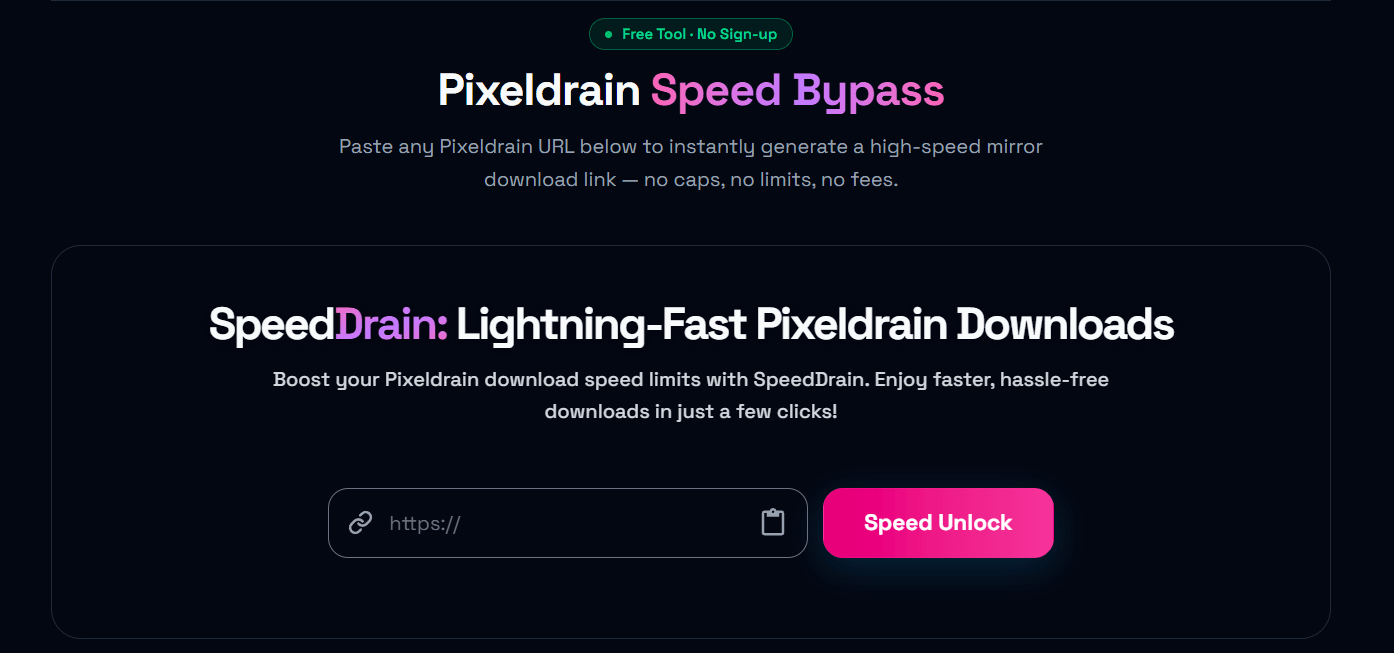
Navigate to speed-drain.com. You'll see the main download interface at the top of the page — a URL input field with a "Speed Unlock" button.
You can also access the tool directly at speed-drain.com/tools/pixeldrain.
Step 3 — Paste Your Link
Click the input field and paste your copied Pixeldrain URL. You can also tap the clipboard icon on the right side of the input to auto-paste directly from your clipboard — no manual paste needed.
The field accepts the full URL exactly as copied from your browser.
Step 4 — Click "Speed Unlock"
Hit the Speed Unlock button. SpeedDrain will:
- Validate your URL against supported Pixeldrain link formats
- Extract the unique file ID from your link
- Randomly select one of 20 mirror servers for optimal speed
- Generate your high-speed bypass download link
This takes about 2 seconds.
Step 5 — Click "Download Now"
Once the bypass link is ready, a "Download Now" button appears. Click it to start your download through the mirror server.
Your file will begin downloading at full speed — bypassing Pixeldrain's free-tier throttle entirely.
Tip: If you see a "Hotlink Detected?" warning, don't worry. Some browsers or security tools block redirected downloads. In that case, use the Copy button to copy the full bypass URL and paste it directly into a new browser tab. The download will start immediately.
Understanding the "Hotlink Detected" Message
When SpeedDrain generates your bypass link, it redirects through an external mirror. Occasionally, browsers flag this as a "hotlink" — a direct file request coming from a referrer that doesn't match the original host.
If you see this warning:
- Click Copy next to the generated link
- Open a new browser tab
- Paste the link into the address bar and press Enter
- Your download will start instantly
This workaround works in 100% of cases. It's not a SpeedDrain issue — it's a browser security behavior that can be bypassed with a direct navigation.
How Fast Is SpeedDrain?
Speed depends on three factors:
- Your internet connection — The mirror server can deliver at full speed. If your ISP caps you at 50 Mbps, that's what you'll get.
- Mirror server load — SpeedDrain randomly picks from 20 servers. In most cases you'll hit a lightly loaded one. If one is slow, try refreshing and generating a new link.
- File server performance — The underlying file is still hosted on Pixeldrain. Occasionally, a specific file's host node may be under load regardless of the bypass method.
In typical conditions, users report 5–20× faster downloads compared to Pixeldrain's free-tier throttled speed.
SpeedDrain vs. Direct Pixeldrain Download
| Direct Pixeldrain (Free) | SpeedDrain Bypass | |
|---|---|---|
| Speed cap | Yes (throttled after limit) | No |
| Sign-up required | No | No |
| Works in browser | Yes | Yes |
| Multi-server routing | No | Yes (20 servers) |
| Hotlink fallback | N/A | Yes (copy & paste) |
| Cost | Free | Free |
Frequently Asked Questions
Is SpeedDrain free?
Yes, completely free. No subscription, no credit card, no account required.
Does SpeedDrain store my files?
No. SpeedDrain generates a redirect link to an existing mirror server. It doesn't download, process, or store your file. The file is delivered directly from the mirror to your device.
Is it safe to use?
SpeedDrain uses HTTPS and runs entirely client-side — your URL is never logged or stored. The mirror servers are public third-party proxies. Always scan files with antivirus software before opening, especially files from unknown sources.
Does SpeedDrain work on mobile?
Yes. The tool works in any modern mobile browser on iOS and Android. The process is identical — paste, click, download.
What if the download still fails?
A few things to try:
- Generate a new link — refreshing picks a different mirror server
- Use the copy-paste fallback — paste the bypass URL directly into a new browser tab
- Try a different browser — some mobile browsers handle redirects differently
- Check if the file is still available — Pixeldrain files can expire or be removed by the uploader
Can I bypass Pixeldrain speed limits for albums or lists?
SpeedDrain currently supports individual file links. For list URLs (/l/), it will extract and use the list ID. If you need to download multiple files from an album, process each file link individually.
Tips and Tricks for Power Users
Bookmark Speed-Drain.com/tools/pixeldrain
The direct tool URL at /tools/pixeldrain loads straight to the input form without any scrolling. Bookmark it for instant access.
Check Your Connection First
Use the free Internet Speed Test at speed-drain.com/tools/speedtest before downloading. If your connection is the bottleneck and not Pixeldrain, the bypass won't help much.
Try Multiple Times for Best Speed
If your first download feels slower than expected, regenerate the link. Each attempt picks a random mirror from 20 options — you might land on a faster one.
Use a Wired Connection for Large Files
Wi-Fi introduces latency and packet loss that compounds over long download sessions. For files larger than 1 GB, a wired ethernet connection significantly improves reliability and sustained speed.
Wrapping Up
SpeedDrain is the fastest, simplest way to bypass Pixeldrain's free-tier speed limits in 2026. The process takes less than 10 seconds:
- Copy your Pixeldrain link
- Paste it into SpeedDrain
- Click Speed Unlock
- Download at full speed
No installs, no accounts, no waiting.
If you found this SpeedDrain tutorial helpful, check out the rest of the SpeedDrain blog for more guides on fast file downloads, Pixeldrain tips, and download optimization techniques.